

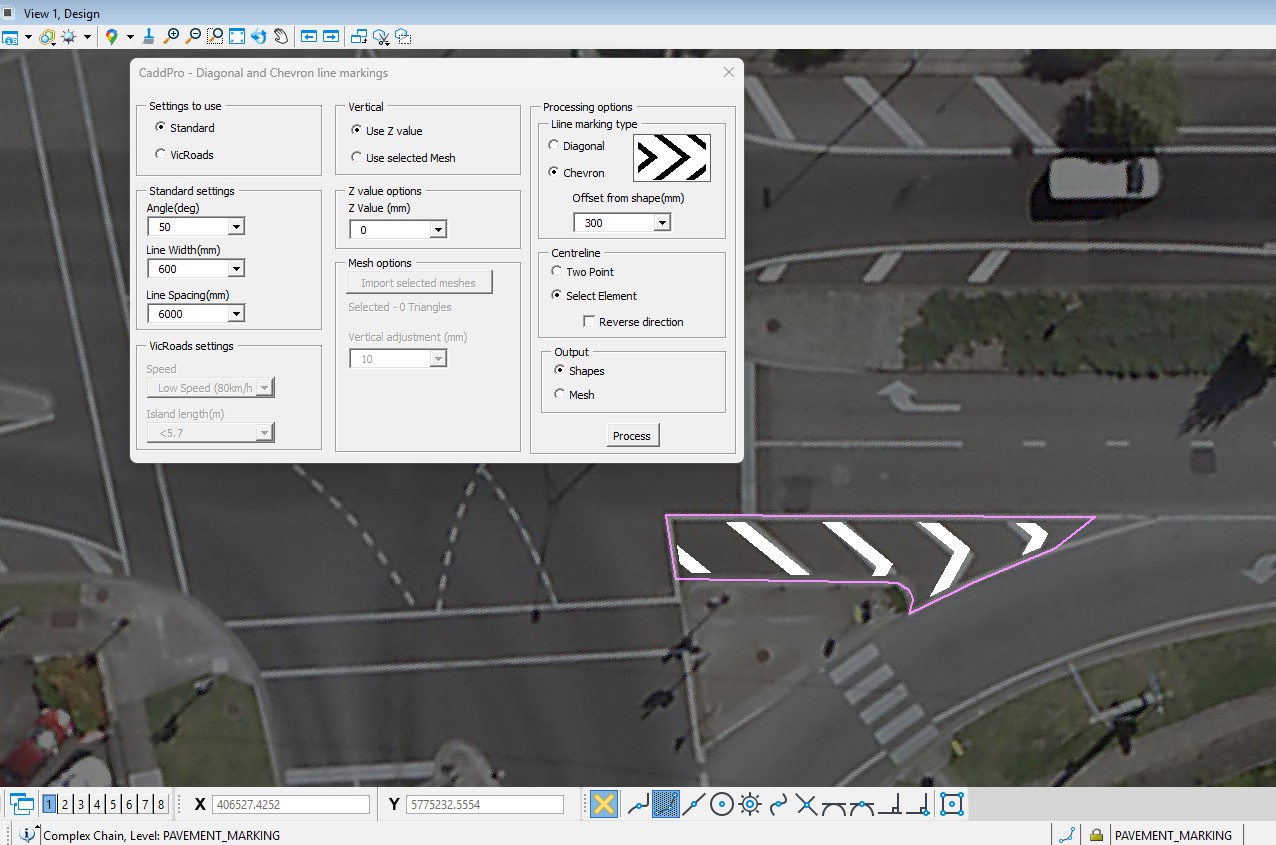
If you spend time drafting patterned linework like chevrons or diagonals around shapes, you’ll know how tedious it can be to place every line manually. In this video tip, we demonstrate the Diagonal & Chevron line marking tool — a quick way to generate consistent, patterned lines inside or around any closed shape.
Here’s why it’s worth adding to your toolkit:
- Instant pattern generation: Select your shape and define options once; the tool takes care of the rest.
- Handles curves easily: On curved edges, just supply a centreline and let the tool create properly aligned marks without extra effort.
- Context-aware drafting: Whether you’re using aerial imagery for context or just basic design linework, the tool adapts seamlessly.
This isn’t a flashy add-on — it’s a productivity boost that cuts repetitive work, ensures accuracy, and lets you focus on the engineering instead of manual drafting.
👉 Watch the video to see it in action, then try it in your next project. If you find it helpful, follow us for more practical Bentley tips that help you work faster and smarter.
Leave a Reply