Tag: Civil Design Productivity

  • Dynamic Contour Labelling in Bentley OpenRoads: Faster, More Controlled Annotation

    Dynamic Contour Labelling in Bentley OpenRoads: Faster, More Controlled Annotation

    Contour labelling in OpenRoads can feel constrained when you want more control over placement, rotation, and consistency-especially on large or complex models.

    This video introduces a new dynamic approach to contour labelling that’s designed to be quick to use and flexible in how annotations are placed and managed. It works with contours dropped from an OpenRoads terrain, but it’s not limited to that-contours from other sources can be labelled the same way.

    The strength of this workflow is the level of annotation control it gives the user. You can define exactly what gets labelled, how accurate the labels need to be, and which levels are used for both contours and text. That separation makes it easier to produce clear, readable drawings without fighting the settings.

    Label placement is intentionally simple. You can use a dynamic two‑point method with different rotation options, or just select a contour line directly. Both approaches are fast and predictable, which matters when you’re working through multiple design iterations.

    The same dynamic behaviour also applies to corridor contours, so the workflow stays consistent whether you’re working with existing terrain or corridor outputs.

    If you’re producing contour‑heavy documentation in OpenRoads and want more speed and control in your annotation, this is a workflow worth understanding.

    ▶️ Watch the video: https://www.youtube.com/watch?v=0rR9eX8W4fg
  • Practical Terrain Model Tips for Cleaner, Faster Surface Editing in Bentley OpenRoads & MicroStation

    Practical Terrain Model Tips for Cleaner, Faster Surface Editing in Bentley OpenRoads & MicroStation

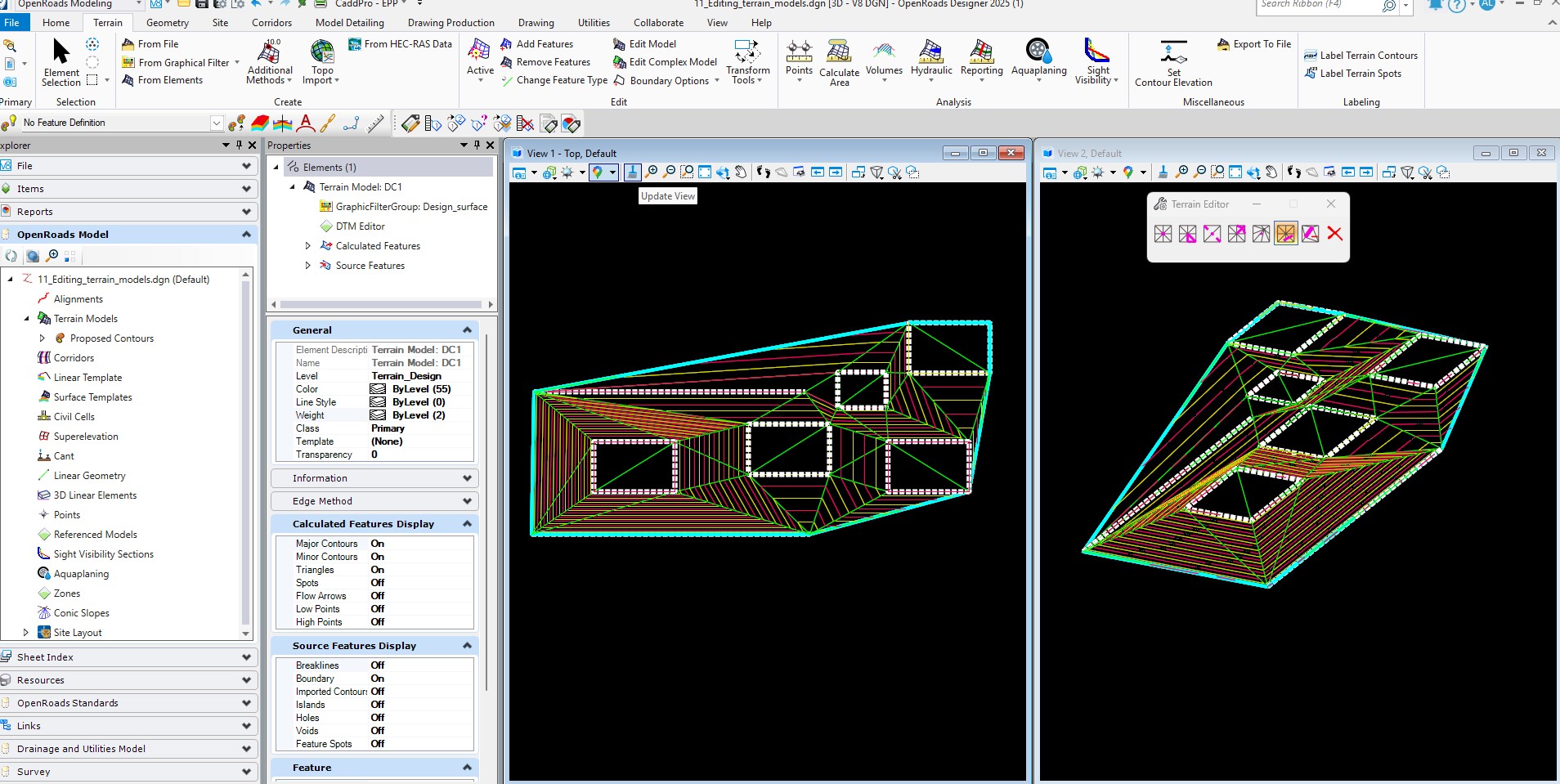
    Terrain models are a core part of civil design, and even small improvements in how they’re managed can save meaningful time across a project. This video explores three practical techniques for working more efficiently with terrains in Bentley OpenRoads and MicroStation.
    Watch the video: https://youtu.be/RpTPMpMiLLg

    The first technique covers updating a terrain model using the graphical filter. This approach avoids unnecessary recreation of data and provides a clean way to rebuild a surface directly from selected geometry. It’s particularly useful in workflows where terrain updates are frequent or iterative.

    The video then outlines two methods for modifying terrain settings. Adjusting attributes through the Properties dialog allows quick, direct edits, while using element templates ensures consistent presentation and standards compliance across a project. Knowing when to use each method helps maintain both accuracy and visual clarity.

    Finally, the video demonstrates how to remove unwanted triangles-such as swipes-using the Delete Triangles by Line tool. It also shows what occurs when new data is added in the same location and how to restore a clean model using the delete option. This helps avoid irregular contours or unexpected triangulation patterns.

    These techniques focus on reliability and simplicity, supporting smoother day‑to‑day modelling and helping users produce more predictable, professional terrain results